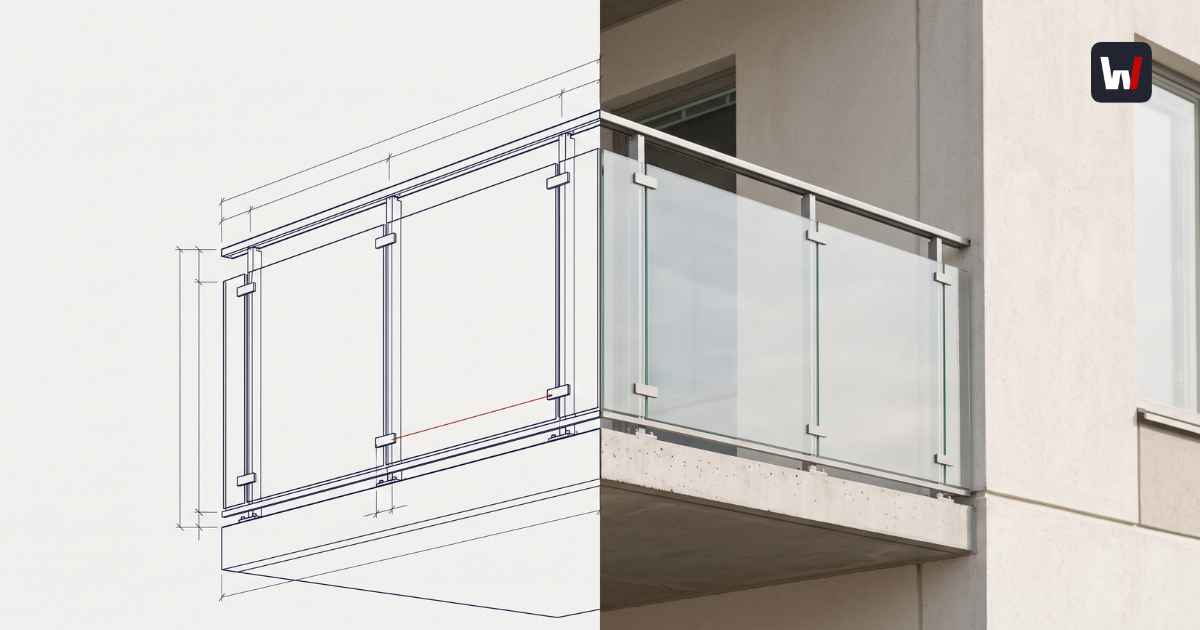
See what crosses the wall
Wabric generates STEP, IFC, and DXF files directly from the same configuration your customer sees, no manual rebuild in CAD. See the output engineers actually get.
See Automated Sales Drawings →The Sales-to-Engineering Wall (And Why It's Costing You Money)
The Sales-to-Engineering Wall is the operational disconnect where the sales process sells a visual concept, but engineering teams must manually rebuild the product data for manufacturing.
Let's be honest. For the last ten years, the focus of CPQ solutions has been the Customer Experience. We built flashy 3D modeling configurators in web browsers. We focused on making the product look sellable. But we forgot something massive: Manufacturing Definition.
While your sales team shows a client a beautiful model, your design teams are panicking. Why? Because that visual is just a pretty picture. It lacks the CAD data and design requirements required for manufacturing systems.
This disconnect creates design bottlenecks. When the deal closes, your engineers become data janitors. They have to open the PDF quote, squint at the numbers, and rebuild the product design from scratch in their CAD system, whether they are using SolidWorks, AutoCAD, or Inventor.
This is the Wall. It prevents you from seamlessly moving from sales and design to production.
- The Cost: Research shows 23% of engineering time is lost to repetitive design tasks and non-value-added admin work.
- The Bottleneck: CPQ solutions play vital roles in fixing this, but only if they handle CAD integration correctly.
- The Goal: We need to automate beyond mere digital product modeling and ensure that every configuration is production-ready.
Sales and Design Disconnect: Why Visual Meshes Cause Design Bottlenecks
Visual web configurators use Mesh geometry (approximate triangles), while professional CAD design requires B-Rep geometry (exact mathematical curves).
This is the technical root of the problem in the design process. Most CPQ software tools prioritize speed, so they use Meshes. This works for marketing, but in the global CAD market, precision is everything.
- In a Mesh (Visual): A cylinder is actually 64 tiny flat rectangles.
- In a CAD Model (Engineering): A cylinder is defined by a mathematical equation. It is a perfect circle with infinite resolution.
If you try to automate the creation of production files using a Mesh, the machine toolpath gets confused. To streamline the workflow, you need CAD capabilities that natively generate B-Rep geometry. This facilitates the design and development of precise components without manual intervention.
Seamlessly Automate Custom Product Workflows with Design Automation
Wabric is not just a quoting tool; it is a powerful manufacturing engine. It uses a constraint-based rules engine—similar to parametric design—to automatically generate production-ready files in real time.
Unlike standard configurators that simply pass data to a sales team, Wabric offers true CAD automation solutions. It removes the need for a separate engineering step by handling repetitive design tasks instantly during the configuration process.
When a user drags a slider to customize a custom product, Wabric doesn't just stretch the picture. It runs a script to automate CAD creation and generate the engineering reality:
- Validates Logic: Is this configuration manufacturable according to our design rules?
- Calculates Structure: Do we need extra supports or specific hardware?
- Produces Files: It scripts the automated creation of CAD models specifically for that order, including Live BOMs that display a complete Bill of Materials while products are being configured.
This creates a single source of truth. It empowers sales associates to efficiently craft complex proposals without calling a sales engineer. By generating CAD models through a configuration, the system ensures error-free output because the manufacturing logic is baked directly into the sales tool.
CPQ for Manufacturers: Generating the Files You Actually Need
To bridge sales and engineering, your CPQ solution must export three specific formats—STEP, IFC, and DXF—and sync data with your ERP.
1. STEP Files (The Factory Truth)
ISO 10303 (STEP) is the currency of the global CAD market. Wabric generates STEP files that maintain assembly structure. This allows design engineers to explode the model in their CAD tools, route parts to different work centers, and eliminate the need to manually create CAD data directly from your CAD system.
2. IFC Files (The BIM Standard)
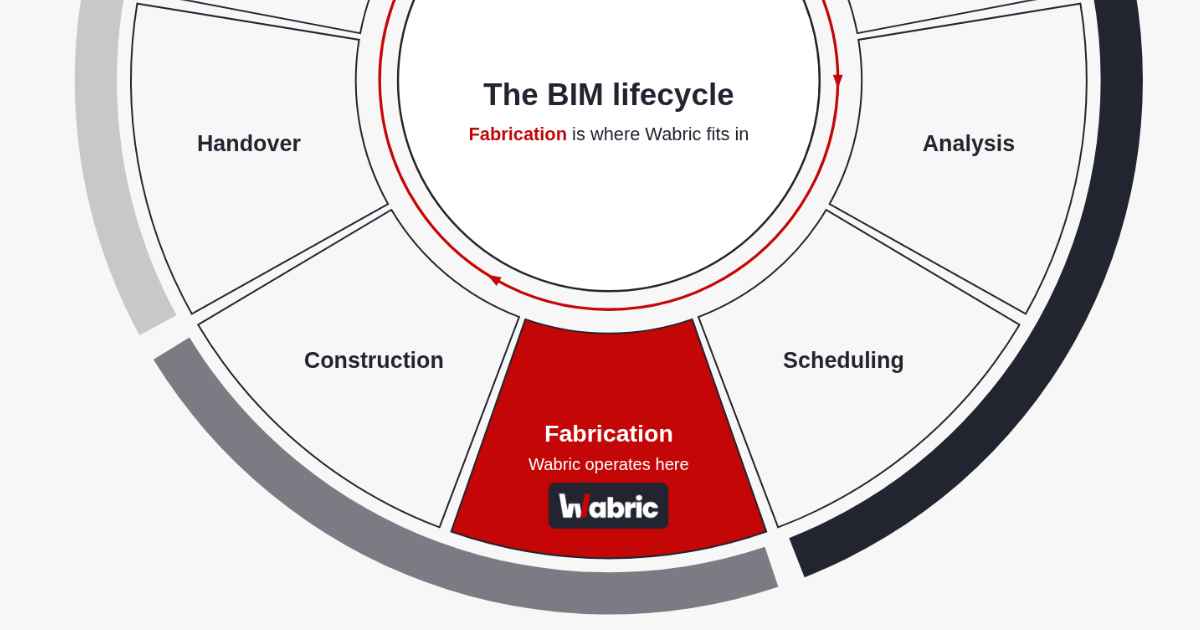
If you sell to construction, you need CAD integration with BIM. Wabric generates IFC files. The file knows it's a window and automatically cuts the opening in the architect's Revit model. This facilitates design and manufacturing coordination, making your product the easy choice for architects.
3. ERP Integration (The Data Backbone)
Wabric doesn't just handle geometry; it acts as your ERP connector. Whether you use SAP, Odoo, or Microsoft Dynamics, Wabric pushes the BOM and routing data directly to your system, eliminating double entry. This is how automation can streamline the entire business, not just the design phase.
Basics of CAD Automation: Real World Results
Saku Metall (Garage doors)
- The Problem: Sales reps struggled with determining pricing for complex tracks, creating massive design bottlenecks.
- The Fix: Automation and CPQ tools that calculate the optimal track based on product data.
- The Result: Quote time dropped from days to minutes. The sales process is now 95% autonomous.
The ROI of CPQ for Manufacturers
Investing in automated engineering generation delivers ROI through three channels: reclaimed engineering capacity, faster sales velocity, and reduced Cost of Poor Quality (COPQ).
By automating the engineering logic, Wabric reduces quote generation time from days to minutes—a 95% gain in speed.
- Reclaim Capacity: By using design automation for routine tasks, you save 23% of engineering time.
- Speed Wins Deals: Accurate quotes with generated CAD models win trust. Wabric clients report 60% faster quote generation (R-Fix).
- Reduce Errors: Costly errors in product configurations eat margins. CAD automation ensures that what is sold is exactly what is manufactured, dropping error rates significantly.
Conclusion: Making Design and Manufacturing Seamless
The era of throw it over the wall is over. Sales and Engineering must look at a single source of truth.
Automation and CPQ are no longer separate conversations. In a world of tight margins, sales and design must be aligned. You need to configure products and manage the design and development of precise data simultaneously.
When the manufacturing phase begins, it should be a seamless transition, not a restart. By connecting CPQ with CAD automation via the Wabric, you give customers confidence and give your engineers their time back.
Frequently Asked Questions
Visual web configurators typically use mesh geometry, flat triangular approximations that work for showing a customer a picture. Production-ready CAD requires B-Rep geometry, exact mathematical curves and surfaces, which is what manufacturing files like STEP and IFC actually need to be usable.
Only if it's built on real geometry rather than a visual mesh. A CPQ system with a constraint-based rules engine can validate whether a configuration is manufacturable and generate production-ready STEP, IFC, or DXF files directly from the same configuration a customer sees.
STEP for general CAD interoperability with tools like SolidWorks or Inventor, IFC for BIM coordination with architects working in Revit, and DXF for 2D production drawings. Each format serves a different downstream user: STEP for CAD engineers, IFC for architects coordinating in BIM, DXF for 2D production shops. The gap isn't having all three, it's not having the one your buyers or factory actually need.
Independent research from CoLab found engineers lose roughly 23% of their time to non-value-added work, much of it caused by manually rebuilding designs that were already defined earlier in the sales process.